
You’ve got two neat tools to corral your TBR chaos, and I’ll be blunt: they feel different to your bones. Goodreads is loud, familiar, full of shelves and beta-reader chatter—you’ll click, scroll, and accidentally join a 2016 group fight; StoryGraph is quieter, prettier, full of tags, mood sliders, and stats that actually make sense—you’ll tap, filter, and feel oddly smug. Pick a vibe, but don’t decide yet—there’s a twist.
Key Takeaways
- Choose Goodreads for a large social network, bustling reviews, and traditional shelves (Want to Read, Currently Reading, Read).
- Pick StoryGraph for personalized recommendations based on mood, pace, tags, and more granular discovery filters.
- Use Goodreads if you prioritize visible friend activity, groups, and community-driven suggestions.
- Use StoryGraph if you want finer privacy controls, better export options, and a quieter sharing experience.
- Both platforms offer robust reading stats and charts; pick based on whether you prefer familiarity (Goodreads) or specificity and visuals (StoryGraph).
How Each Platform Handles Book Tracking and Shelves

If you’re anything like me, you want your reading life neat enough to find that one weird hardcover you bought at 2 a.m., but messy enough to feel human — and both Goodreads and Storygraph promise that sweet spot in different flavors.
You’ll like Goodreads if you want rigid shelf organization, clearly labeled, predictable; you drag books into Want to Read, Currently Reading, Read, and call it a day.
Storygraph lets you get creative, you’ll tag by mood, pace, or color, and the tagging feels like arranging wildflowers in a jar.
Tag books by mood, pace, or color—arranging your reading like a loose bouquet of wildflowers.
You can bulk-edit, swap covers, smell-paper—okay, not literally—but the interfaces differ: one is library-stern, one is studio-playful.
You’ll pick by how you prefer to touch and sort your books.
Recommendation Quality and Discovery Tools

You’ve got your shelves sorted — neat stacks on Goodreads, wildflower jars on StoryGraph — and now you want to know which app actually finds your next favorite book instead of handing you another reprint of the same thriller.
I poke at both, tasting their recommendation algorithms like curious, picky tasters.
Goodreads leans on popularity and friends, so suggestions can feel crowd-sourced, loud, familiar.
StoryGraph tracks mood, pace, and tags, so discoveries arrive like surprise postcards, specific and strange in a good way.
You’ll enjoy discovery features that let you filter by vibe, length, even emotions, and I’ll admit, I love the tiny thrill when an offbeat rec lands.
Both learn, both stumble, you choose how adventurous you want to be.
Social Features and Community Engagement

While I’m happy lurking in the stacks, I also like shouting about books, and social features are where Goodreads and StoryGraph show their personalities loud and clear.
You’ll find Goodreads buzzing like a crowded café, full of reviews, groups, and visible friends, where community interaction feels immediate, messy, and delightfully noisy.
StoryGraph is quieter, more like a design-forward studio, nudging you to share thoughtful posts and tracked moods, with social sharing that’s cleaner, more intentional.
You’ll comment, clap, follow, and window-shop lists on Goodreads, or curate focused posts, prompts, and micro-reviews on StoryGraph.
You’ll enjoy real conversations, discover creative tidbits, and sometimes get hooked by a stranger’s hot take.
Pick the vibe that sparks you.
Reading Statistics, Charts, and Insights
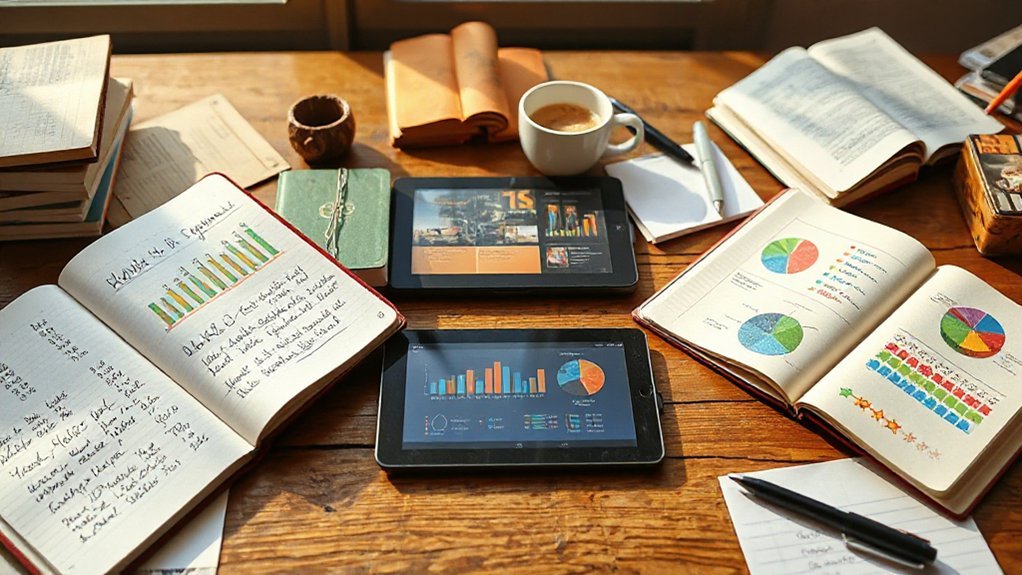
I’m going to show you how each app counts your reading, so you’ll see whether numbers actually tell the truth or just look impressive.
You’ll get nitty-gritty stats — pages, pace, genres — and colorful charts that make patterns pop like neon sticky notes on a bookshelf.
Pick a graph, poke it, and we’ll figure out what your reading habits are secretly saying about you.
Reading Statistics Detail
If you like numbers that tell a story, get ready to nerd out—because reading stats are where your year in books turns into something you can actually brag about.
I walk you through the fine print, you scan numbers like constellations, and we spot patterns in your reading habits and genre preferences. You’ll see page counts, pace, and streaks, plotted as tidy totals.
I point at odd spikes — that summer binge — and you laugh, because those were all rom-coms. You’ll get breakdowns by author, length, mood tags, and even average rating, so you can tweak goals without guesswork.
It feels like a lab for your bookshelf, bright, clickable, and honest — like a friend who tells you when you’ve been slacking.
Visual Charts & Insights
On your screen, charts do the heavy lifting, and they do it with attitude — colorful bars, swooping line graphs, and pie slices that look suspiciously like pizza.
I walk you through dashboards that tell stories, not just numbers. You’ll spot visual trends at a glance, see month-to-month reading spikes, and taste the satisfaction of a completed series — yes, literally, that pizza slice sings.
Storygraph’s mood and pace visuals feel fresh, Goodreads’ yearly wrap-ups land with nostalgic thumps. You’ll interact, click filters, and watch the data rearrange itself, boosting user engagement.
I nudge you toward experiments, tweak views, compare formats. It’s playful data, smart design, and it helps you read smarter, not harder.
Privacy, Data Ownership, and Account Control

You’ll want to know who really owns your reading history, and whether you can lock it down or watch it float into some algorithm’s memory.
I’ll point out how clear each site is about your data, show the privacy switches you can flip, and say which one actually lets you close the door.
Spoiler: one feels like handing over a diary, the other lets you tuck it into a drawer and keep the key.
Data Ownership Clarity
Because your reading life is a tiny, precious archive, I want to know—no, demand—that you actually own it, not some website’s marketing department.
You should see clear terms about data sharing, crisp statements about who can remix or sell your lists, and plain-language ownership rights that don’t sound like legal soup.
Imagine opening an app and instantly smelling fresh ink, clicking “export” and getting your whole shelf in a neat file — that’s what ownership feels like.
I poke at menus, read the fine print, and scoff when promises wobble.
You deserve export buttons, permanent backups, and an easy path to delete or take your info elsewhere.
No bait-and-switch, no sneaky defaults — just honest control, please.
Account Privacy Controls
You nailed the ownership bit — export buttons, plain-language promises, the whole satisfying click of getting your library in a neat file — so now let’s talk about who gets to see it, and how tightly you can lock that door.
I want control, and I want it fast. Goodreads gives basic toggles, public or private, a few nudges toward account security, but it feels like a dress rehearsal.
StoryGraph, meanwhile, leans experimental: finer privacy switches, anonymous profiles, clearer defaults that respect user anonymity.
You’ll like the tactile feedback of toggling visibility, the little lock icon that snaps shut. I poke at settings, flip switches, sigh with relief.
Both platforms can improve, but pick the one that matches how boldly you guard your data.
Customization, Integrations, and Mobile Experience

While I fuss with settings and squint at tiny icons, both Goodreads and StoryGraph try to make your reading life feel like a tidy notebook rather than a chaotic pile of post-its; I’ll walk you through how they let you bend, bolt, or ignore features to suit your habits.
You’ll notice user interface design choices shouting personality, or whispering simplicity, and you’ll love the user experience customization if you tinker.
Goodreads feels familiar, like a worn paperback, with lots of integrations — browser buttons, Kindle syncing, partner widgets — but it can clutter.
Goodreads has the comfort of a well-thumbed paperback — feature-rich and familiar, though sometimes a bit cluttered.
StoryGraph is sleek, agile, gives you mood filters, detailed stats, and thoughtful mobile shifts.
On phone screens, StoryGraph breathes; Goodreads loads a library, sometimes grudgingly.
You decide: power or polish?