
You want clicks, not vague promises, so I’ll show you how to write “how to” titles that actually deliver—clear verbs, a sensory hook, and a tiny deadline to spark action. Picture a headline that smells like fresh coffee and feels like a helpful nudge; say it fast, make it useful, and don’t waste words. I’ll walk you through structure, power words, templates, and the sneaky tweaks that lift CTRs—but first, let’s fix the most common headline sin.
Key Takeaways
- Start with a clear action verb and a specific outcome (e.g., “Build a 7‑day email welcome sequence”).
- Promise a tiny, measurable payoff or timeframe to boost relevance and clicks.
- Keep titles 6–12 words, front-load important keywords, and avoid filler words.
- Use vivid, sensory verbs or persuasive adjectives to add personality without sounding clickbaity.
- A/B test two strong variants, track CTR and engagement, then iterate quickly based on results.
Why “How To” and Guide Titles Drive Clicks

One quick truth: people click when they think they’re about to learn something useful, fast.
You want results, and “How To” or guide titles promise a roadmap, a smell of coffee and clear steps on the table.
I’ll tell you bluntly: that promise lifts click through rates, because your reader expects action, not prefab hype.
You get them reading, and user engagement rises as they follow tangible cues—headlines like a compass, bullets like breadcrumbs.
You’ll feel clever nudging curiosity, and I’ll chuckle when a plain verb outperforms a flashy adjective.
Use sensory verbs, tight directions, and a wink of personality; readers will click, stick around, and thank you.
It’s simple craft, executed with curious, relentless care.
Matching Title Structure to Search Intent

You’ve got the promise part nailed—“How To” makes readers lean in—but now you’ve got to match that promise to what they actually want when they type a query.
You’ll study search behavior like a detective, listening for verbs, urgency, and intent—are they learning, buying, or troubleshooting?
Then you’ll shape title relevance to fit: teach, fix, compare, or inspire. Picture users tapping screens, squinting at results, breathing relief when they spot your clear offer.
Shape titles to teach, fix, compare, or inspire — make users pause, click, and feel instantly understood.
I’ll admit, I obsess over tiny words — they steer clicks. Use specific outcomes, timeframes, and audience cues; cut fluff.
Match tone too, whether casual or clinical. Do this, and your “How To” becomes the obvious click, not a guess.
Elements of an Effective “How To” Headline

Three tiny ingredients turn a bland “How To” into a headline people actually click: clarity, consequence, and a pinch of personality.
I’ll show you how to blend them, so your titles pop off the page, smell like fresh ideas, and promise real results.
Keep your effective phrasing tight, use engaging verbs that move readers toward action, and paint one crisp outcome.
Don’t waffle, don’t hide the payoff. Imagine a neon sign flashing benefit, you reach for it.
Swap passive fluff for verbs that pull—build, fix, transform—then add a human twist, a wink, a little audacity.
You’ll write headlines that feel clever, useful, and urgent, ones you’d click at 2 a.m., when inspiration bites and coffee still helps.
Power Words and Phrasing That Boost Engagement

A little vocabulary tweak can flip a sleepy headline into something that practically tugs readers through the screen, and I’m going to show you which words do the heavy lifting.
You’ll swap bland phrasing for engaging verbs and persuasive adjectives that snap, sizzling with clarity.
I talk like a coworker over coffee, pointing at the screen, nudging you to try bold verbs, crisp descriptors, sensory hooks, and tiny surprises that pull attention.
- Use visceral verbs: ignite, slice, morph.
- Pick persuasive adjectives: effortless, jaw-dropping, essential.
- Lead with action: show, build, transform.
- Add a sensory detail: hear, taste, feel.
- Insert a tiny promise: faster, safer, smarter.
Try one tweak, watch clicks rise, grin when it works.
Optimizing Length, Keywords, and Readability

You want titles that hit the sweet spot — long enough to tell a story, short enough to read in a glance, and juicy where it counts.
I’ll show you where to tuck keywords so search engines and real people both nod, and we’ll trim excess words until the title snaps.
Picture me under a desk, scissors in hand, cutting clutter while I whisper the perfect 50-70 character secret.
Optimal Title Length
Let’s cut to the chase: I don’t pad titles for fun, and neither should you—shorter feels sharper, reads faster, and grabs attention like a neon sign in fog.
You want an ideal word count that balances punch with clarity, and you care about title readability so people actually click. I’ll tell you what works, why it sings, and how to trim without losing meaning.
Picture a headline that snaps, not snores — you can smell the coffee, hear the tap of keys, and see the link light up.
- Aim for 6–12 words, tight and focused.
- Use concrete verbs, ditch fluff.
- Keep important words up front.
- Test variants, read aloud.
- Respect context: platform matters.
Keyword Placement Strategies
Think of keyword placement like seasoning—too little and the title’s bland, too much and you choke. I want you to place primary terms up front, so readers and algorithms sniff them first.
You’ll tuck supporting words later, keeping rhythm and readability, while practicing tasteful keyword integration that feels natural. Say the main benefit early, sprinkle modifiers after, and avoid awkward stuffing that makes you cringe.
I’ll admit, I’ve bungled titles, but I learned: clarity wins clicks. Test variants, read them aloud, notice cadence, trim clunky bits.
Aim for search visibility without sounding robotic; think human ears, not just bots. You’ll craft titles that pop, lure curiosity, and still rank — sleek, clever, and useful.
Templates for Different Content Types and Audiences

You’ll want a handful of go-to templates — short how-to lines for blog posts, punchy listicle starters for quick reads, and formal guide frames for whitepapers — so you’re not guessing mid-write.
I’ll show you how to tweak tone and word choice for each audience, swapping slang and bright verbs for clearer, calmer phrasing when you need to talk to executives, or adding playful beats for casual readers.
Picture me handing you a recipe card, we riff on it, you try it, and we tweak until the title smells just right.
Template Types by Format
Templates are your backstage pass — a tidy blueprint that turns chaos into something you can actually finish before lunch.
I’ll show you how template variations and format differences steer your work, so you pick the right one fast. You’ll see layouts that sing on screen, print, or in a slide deck, and you’ll feel the difference when things click.
- One-page cheat sheet, quick skim, instant action
- Long-form guide, thorough explorations, tactile footnotes
- Slide deck layout, punchy visuals, tight pacing
- Social post template, bold hooks, snackable beats
- Email sequence format, sequenced touches, measurable nudges
You’ll touch, tweak, ship. I’ll wink, you’ll win, repeat.
Audience-Specific Language
Who are you really writing for — the tired intern racing the clock, the skeptical C-suite exec who drinks coffee like a dare, or the parent scrolling between PTA posts and bedtime stories?
I tell you this because audience personas shape everything; they dictate your language tone, the jokes you risk, the examples you use.
Picture the intern: fast verbs, snackable bullets, a neon-highlighted takeaway.
Imagine the exec: crisp numbers, bold headers, a confident one-liner that lands.
See the parent: empathetic as a hug, practical steps you can do between chores.
You’ll switch templates, like changing lenses, to match attention span and stakes.
I joke, I test, I tweak until the template sings — clear, bold, and oddly human.
A/B Testing and Measuring Headline Performance
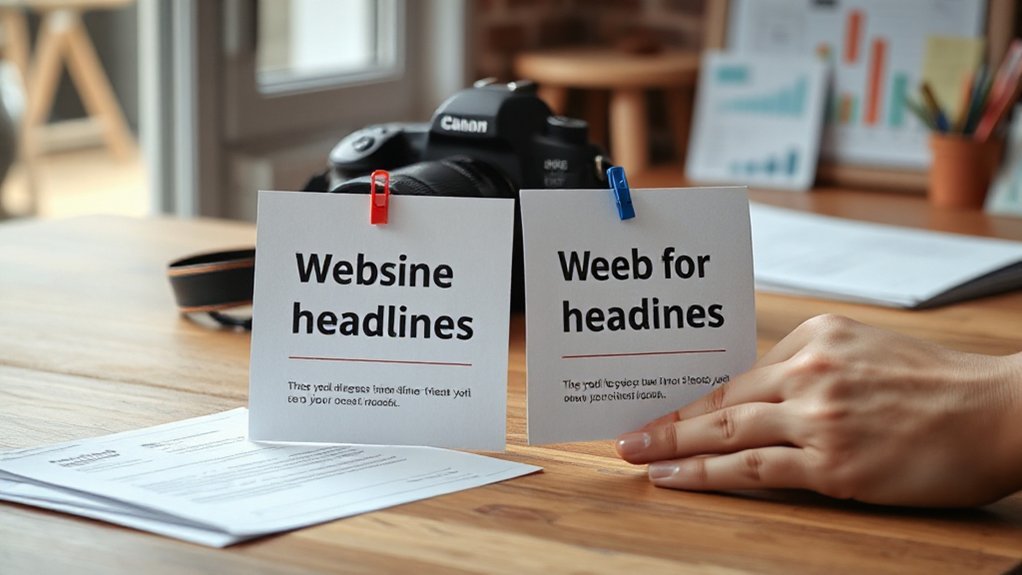
Ever wonder which headline actually grabs attention — the clever one, the clear one, or the weird one that makes people blink? You’ll run A/B testing like a curious scientist, toss two headlines into the ring, and watch clicks, scrolls, and time-on-page tell the tale.
Track performance metrics, don’t guess. I’ll cheerlead, and nudge you to test boldly, iterate fast, and savor surprising winners.
- Test small changes first, like verbs or punctuation.
- Measure CTR, bounce rate, engagement, and conversion.
- Rotate variants to avoid audience fatigue.
- Segment by device, source, and audience persona.
- Use statistical significance, but don’t let it paralyze action.
You’ll learn quickly, tweak smarter, and headline like a pro.
Common Mistakes and Quick Fixes

If you’ve ever watched your headline flop like a pancake off a spatula, don’t worry — I’ve burned breakfast plenty of times, too.
You’ll spot common title mistakes fast if you listen: vagueness, jargon, clickbait that smells cheap. I’ll show quick fixes you can do in minutes. Trim words, add a promise, swap a boring verb for a vivid one, test numbers and benefits.
Watch for phrasing pitfalls—awkward order, passive voice, stuffed keywords—and yank them out like weeds. Rewrite aloud, taste the rhythm, cut what drags.
Sniff out awkward phrasing and passive voice—speak headlines aloud, trim the dead weight, let rhythm lead.
Try A/B pairs, measure clicks, then repeat. You’ll learn to craft bold, nimble headlines that pop, pull readers in, and don’t pretend to be something they’re not.
Leave a Reply